
- SureCookie Installation Guide
- Installing SureCookie Pro
- Updating SureCookie
- How to Set Up SureCookie: Onboarding Wizard Guide
- SureCookie Dashboard Overview
- Connecting Your Site to SureCookie (Scanner Setup)
- Using SureCookie on Multiple Sites
- Uninstalling SureCookie & Data Cleanup
- Preferences Settings (Menu, Branding, Analytics)
- Re-Consent
- Understanding SureCookie Logs
- How to Set Up Geographic Targeting
- Resource Blocking
- Setting Up Google Consent Mode v2
- Consent Models Explained (Opt-in vs Opt-out)
- Exporting Consent Logs (PDF Proof + CSV)
- Consent & Data Settings (Duration, Retention, Renew)
- Consent Forwarding Across a Multisite Network
- Resource / Script Blocking (Add Embeds + Fixes)
Using SureCookie on Multiple Sites
You can run SureCookie on as many sites as you need. Each site is its own install, with its own banner, cookie list, and consent logs, and it connects to SureCookie individually. A few things work across sites: your scan budget is pooled across every site on your account, and on a WordPress Multisite network, SureCookie Pro can forward consent between sibling sites.
This article explains what is per-site, what is shared, and how the multi-site pieces fit together.
Each Site Is Its Own Install
SureCookie is configured per site, not globally.
- Install and activate SureCookie on each site.
- Connect each site individually. Connecting verifies that domain and issues a credential just for it.
- Your settings, cookie list, and consent logs live in each site’s own database. Changing one site never affects another.
This holds whether the sites are separate WordPress installs or subsites within a Multisite network.
Your Scan Budget Is Shared Across Sites
While configuration is per-site, your scanning allowance is not.
- The daily scan and page budget is tied to your account and pooled across every site connected to it.
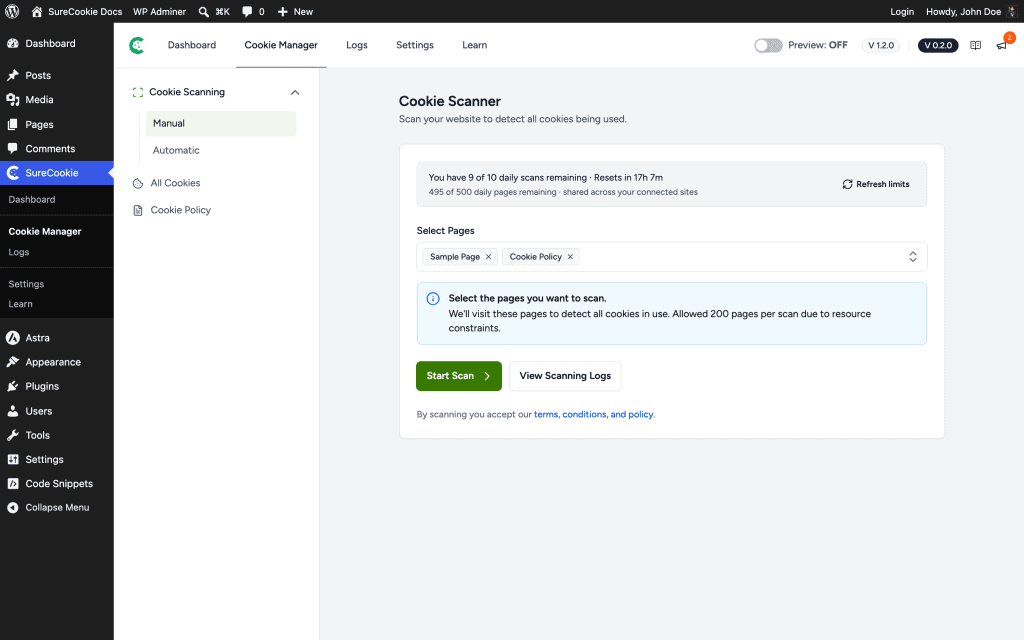
- On the Cookie Scanner, the top of the page shows your remaining allowance, for example “You have 9 of 10 daily scans remaining” and “495 of 500 daily pages remaining, shared across your connected sites.”
- Scanning heavily on one site leaves less for the others that day. If you manage many sites, stagger your scans, or add the Scan Booster or a higher plan for more capacity.
Consent Forwarding Across a Multisite Network
Consent Forwarding is a feature for WordPress Multisite networks. It shares a visitor’s consent choice across the sibling sites in the same network, so they don’t have to consent again when they move between them.
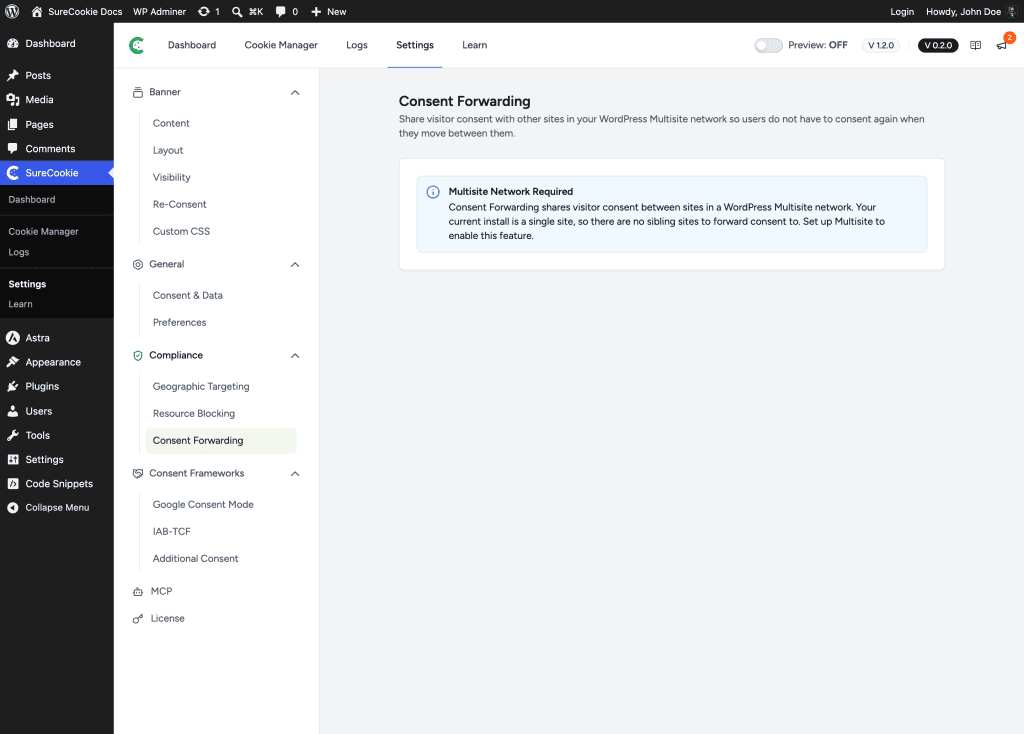
- Find it under SureCookie → Settings → Compliance → Consent Forwarding.
- It requires a WordPress Multisite network. On a single-site install, SureCookie shows a Multisite Network Required notice, because there are no sibling sites to forward consent to.
Note: Consent Forwarding works only between sites in one Multisite network. Separate, unrelated domains each collect their own consent independently; SureCookie does not sync consent between unrelated domains.
Running SureCookie on WordPress Multisite
SureCookie works on WordPress Multisite.
- Each subsite keeps its own settings, cookie list, and consent logs.
- Configure SureCookie on each subsite the same way you would a standalone site.
- Add Consent Forwarding (Pro) to share consent across the network’s subsites.
Managing Many Client Sites
If you’re an agency or run several unrelated sites:
- Install and connect SureCookie on each site, and configure each one independently.
- Because the scan budget is shared across sites on the same account, keep an eye on the allowance if several sites scan on the same day.
- Refer to your plan for how many sites your license covers.
Moving, Cloning, or Migrating a Site
Connecting is tied to your domain.
- If you move a site to a new domain, or clone staging to production, reconnect on the new domain so SureCookie re-verifies it and issues fresh credentials.
- Don’t copy one site’s credentials to another; each domain connects separately. See Connecting Your Site to SureCookie.
When to Contact Support
If something isn’t working across your sites, contact support with:
- The URLs of the sites involved, and whether they’re a Multisite network or separate installs.
- Whether the issue is with connecting, the shared scan budget, or Consent Forwarding.
- Your plan, so we can check your site allowance.
We don't respond to the article feedback, we use it to improve our support content.